EDB PostgreSQL Advanced Server Management
The world's most advanced open-source database

Postgres Enterprise Manager to all database servers operating within the institution They can view, manage, and change its settings.
Database administrators, can monitor the use of its resources better, they can plan CPU and I/O Resource Management, and centrally manage SQL injection protection. In addition, DBAs, comprehensive catalog views, and high-speed to the bulk loader, on a connection basis and session management tools to diagnostic system tools They have.
Postgres Enterprise Manager
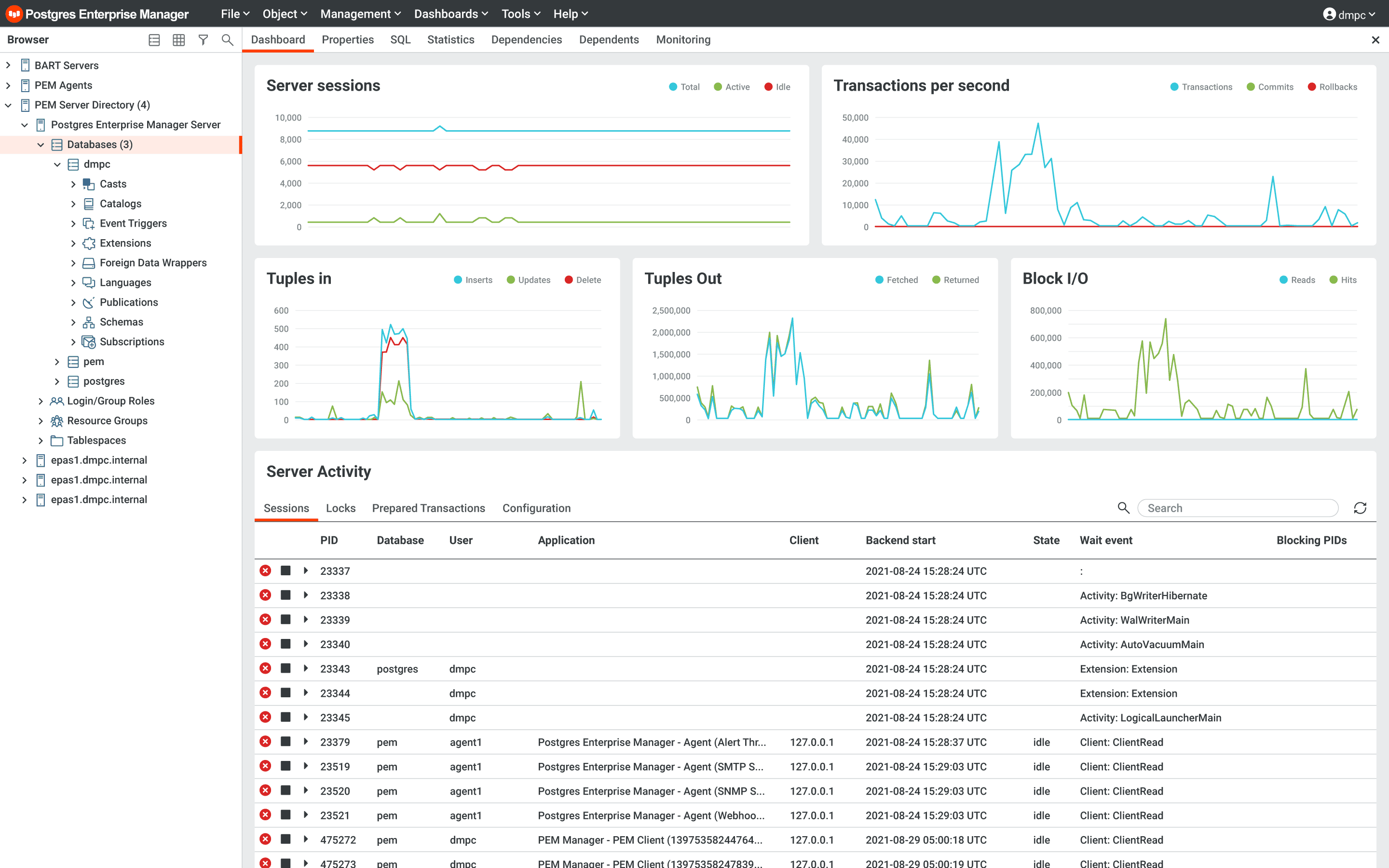
Postgres Enterprise Manager distributed architecture and with its rich features, of all sizes Will manage Postgres Advanced Server installations is a vehicle.
Monitoring agent, host and database data sends to a central management server and these data can be accessed via multiple GUI consoles. These easy-to-use consoles summarize the status on target servers at a glance, while providing convenience to administrators by generating alarms beyond monitoring with customizable dashboards.
Beyond tracking Enterprise Manager database workloads, a database management tool can offer features such as creating new databases, and creating or dropping spaces for all types of data types. also offers all essential functions.
Built-in SQL Profiler
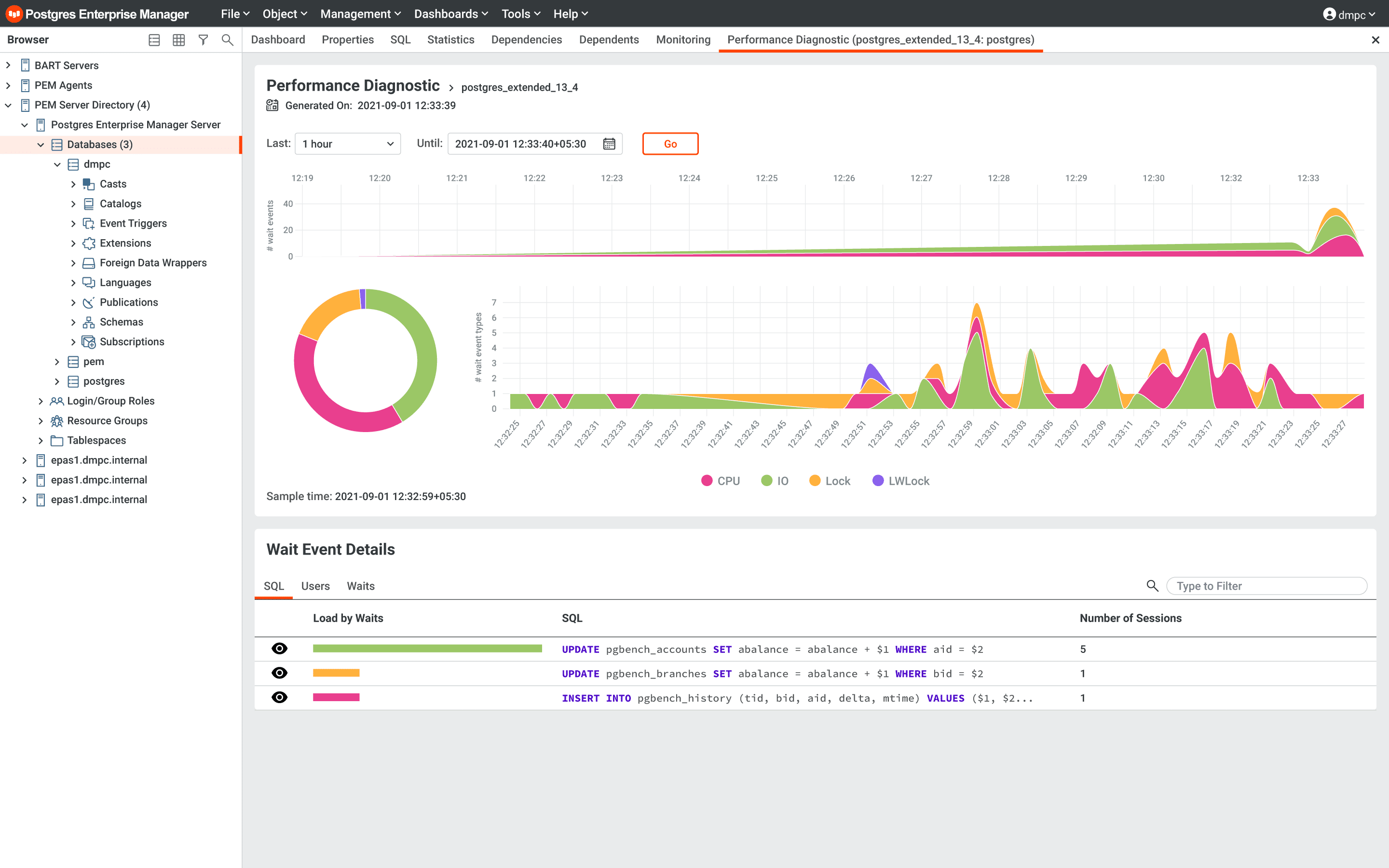
Built-in SQL Profiler to database administrators, system administrators, and developers slow-running queries and of these Index Advisor like other tools how it can be improved also helps with the subjects.
Capacity Manager
Capacity Manager (Capacity Manager) allows you to foresee the evolution of existing databases, including historical data, and future needs. It is located within Postgres Enterprise Manager PostgreSQL Expert, helping beginner users, it points out configuration, security, and schema design errors, and offers improvement recommendations for them.
Database Migration Toolkit
If you decide to use Postgres Advanced Server; Sybase, Microsoft SQL Server, and Oracle with Migration Toolkit of databases that it can be easily carried You must know.
- You can automate schema and data migration.
- It provides online data transfer. It eliminates downtime.
- It supports drag-and-drop. You can prepare your scripts and run them with timers.
- You can customize data migration operations. You can customize which tables, constraints, triggers, and indexes are migrated. You can change the target data type during data migration.
- It provides fast data transfer. With parallel processes, by bypassing logging, or with native connection support, it can provide much faster data transfer.
Postgres Advanced Server can migrate objects in accordance with the table when migrating from other databases.
Object |
Sybase |
Microsoft |
Oracle |
|---|---|---|---|
Schema |
+ |
+ |
+ |
Data |
+ |
+ |
+ |
Constraints |
+ | ||
Sequences |
+ | ||
Synonyms |
+ | ||
Indices |
+ | ||
Packages |
+ | ||
Stored Procedures |
+ | ||
Triggers |
+ | ||
Functions |
+ | ||
Views |
+ |
+ | |
Users, Roles |
+ | ||
Database Links |
+ |
xDB Replication Server
xDB Replication Server multiplatform, is a database replication server with a different architecture. Postgres Advanced Server provides bi-directional replication between Oracle, Microsoft SQL Server, or PostgreSQL.
xDB can be used in many ways; standby as a database server, between databases in different geographies To perform data transfer/replication, from one database to another to provide data transfer and get it up and running, to create a development server, or reporting server You can rely on xDB to use as.
Unlike other replication tools, xDB is not just for replicating the entire database; if if you want, to replicate only some tables usable. In addition, in your replications with xDB, filtering to replicate only some records You can apply it.
Thanks to the graphical user interface (GUI) on xDB, you can easily manage replication and history viewer How many days of data history can you view?.